

How to Embed PDFs in Your VOD
Learn how to include meeting agendas, supporting information, and clickable links to your VOD in this short video from your Cablecast Support Team.
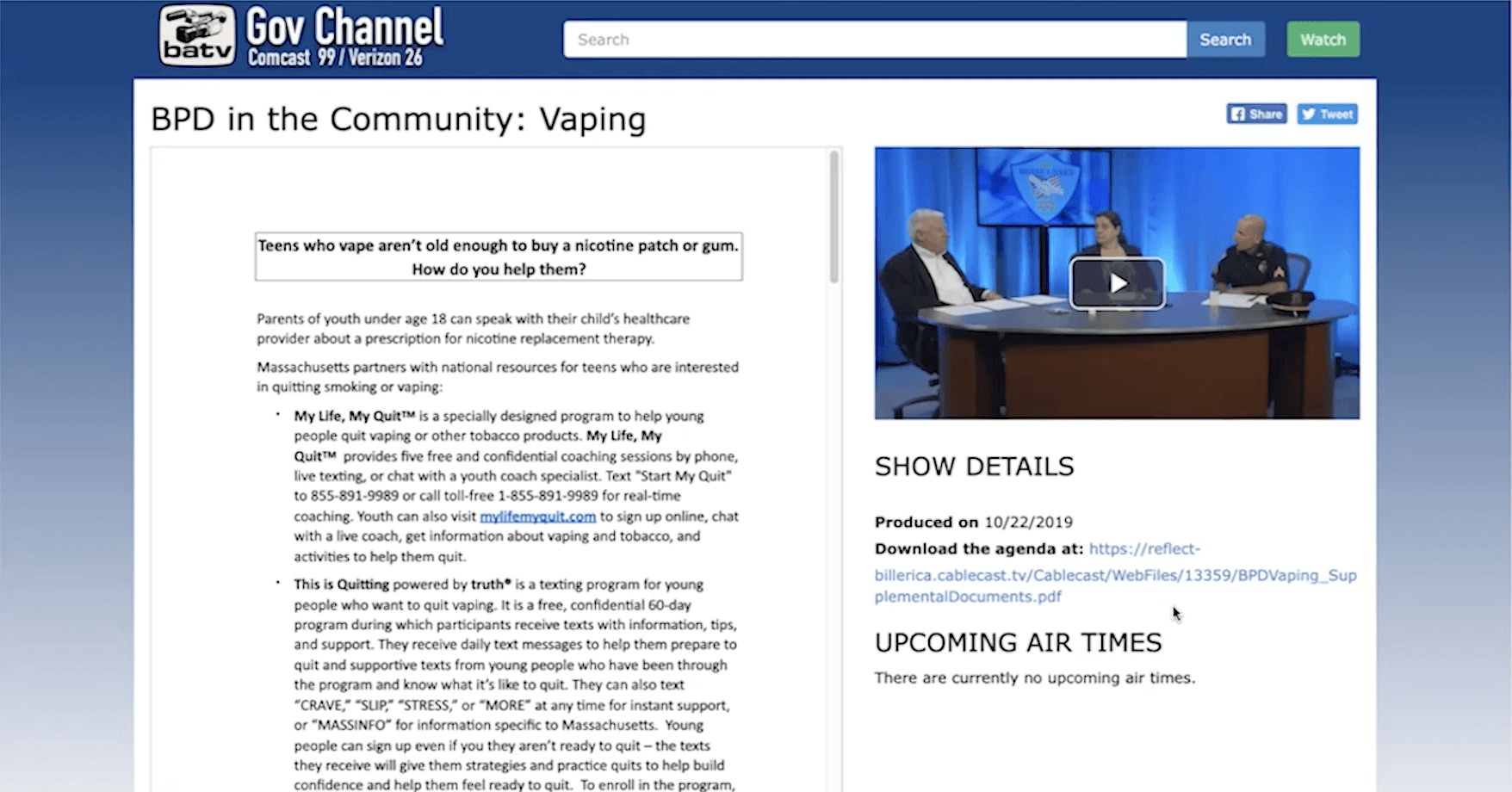
In these short videos from our Cablecast Customer Service Team, we highlight key time-saving workflows that you can start using in minutes! During this video, Kayla shows you how to add embedded PDFs on your on-demand videos.
Why You Want This:
Embedded PDFs can be used to include agendas from local government meetings, offer supplemental information for various programs, and even offer clickable links that can provide access to other websites for more information.
What You Need:
The ability to embed PDFs is available with Cablecast 6.4.0 software or later.
How It Works:
Kayla’s step-by-step guide will help you get started with embedding PDFs in Cablecast. Here’s an overview of what we cover in the video:
1. The required steps for creating a custom field for your PDF.
2. How to create the label (or name) of the PDF that is visible to the public.
3. Which options make your PDF an embedded PDF.
4. What process generates a link that visitors can click.
5. How to upload your PDF into the Show Record.
6. How to detach or replace the PDF, if necessary.
Watch more videos from our team on our blog. Want to upgrade your Cablecast hardware or software to get this feature? Contact our team today.