
Playout & Live Production
Live Event Recording
Record a live event to an archived file as it airs, right from the schedule.
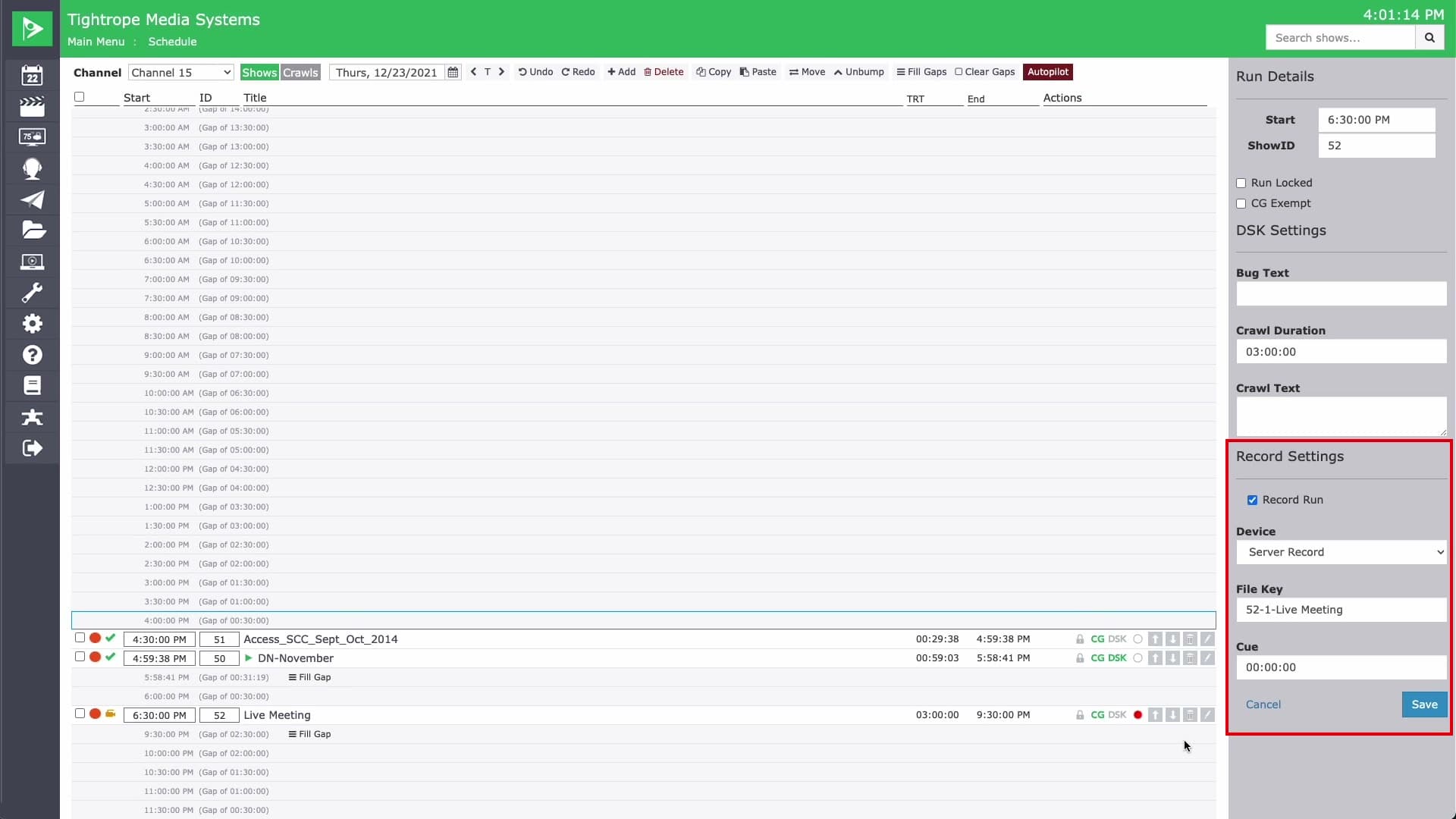
Record a live event to a file while it airs, set up right in the schedule. Click the record icon on the run and Cablecast captures the signal to an archived file you can replay later.
The record settings let you choose the input device, name the file, and confirm audio before it starts. The file key fills in with the show's ID and title, so the recording marries to the show record automatically. Reuse that same record for the replays instead of building a new one, then schedule the reairs.