
Scheduling & Automation
Pick & Stick Scheduling
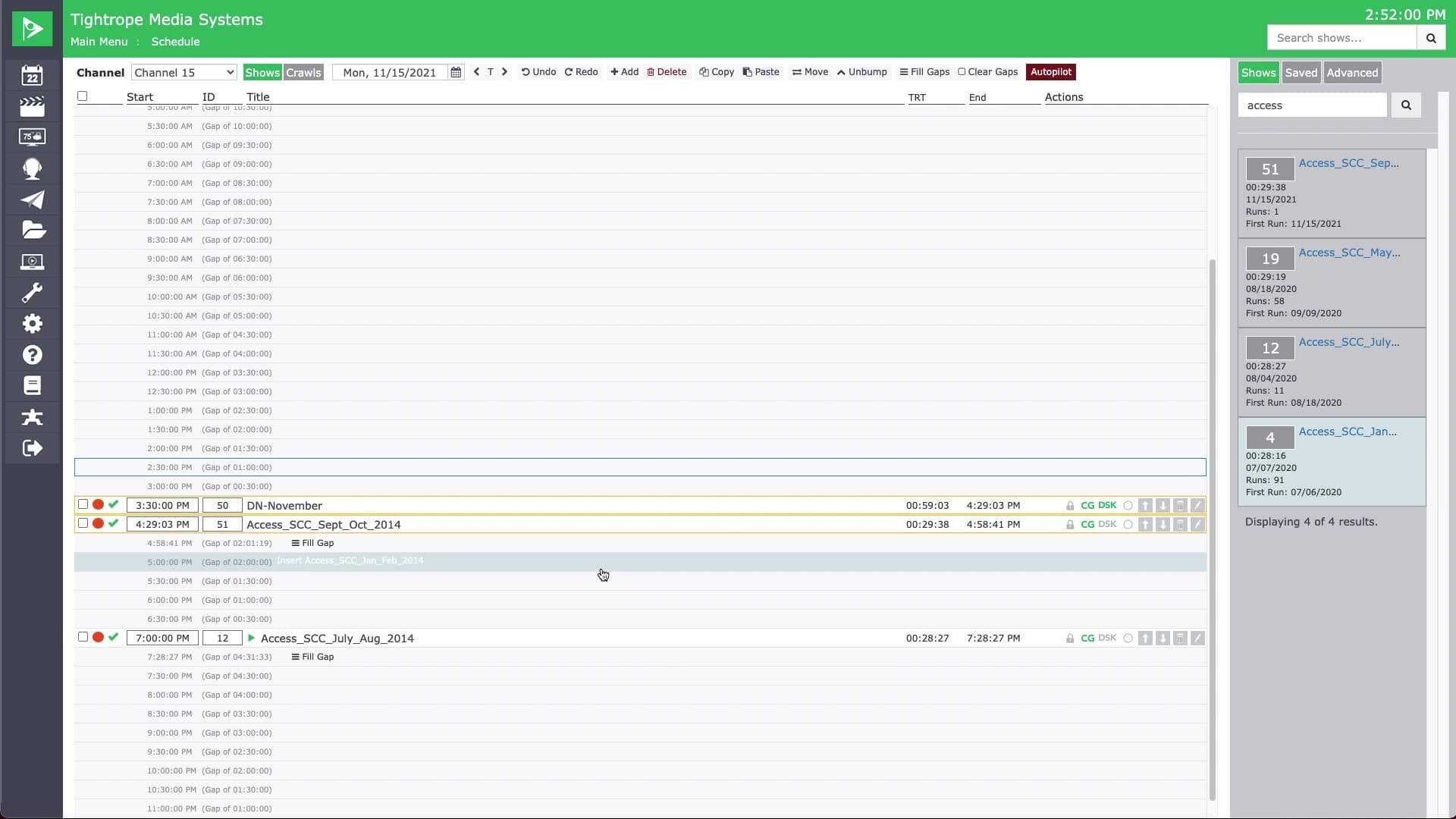
Pick a show once and drop it into as many slots and days as you need.
Pick a program from your recent shows or a quick title search, and it stays selected while you place it. Click any time slot to drop it in, move to another day, and drop it again. Schedule a show across the week without reselecting it each time.
As you place, Cablecast shows the gap you are filling and whether the show fits. If it runs longer than the gap, it turns red so you can see the conflict before it becomes one, then bump the following shows to clear it.